

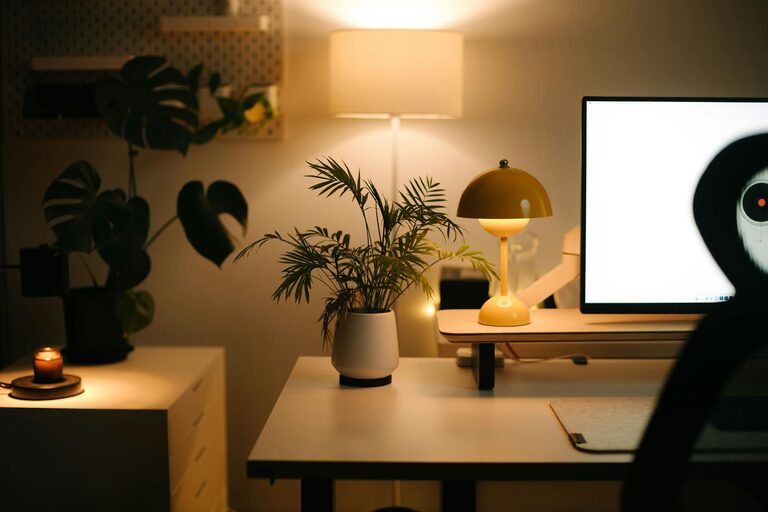
Creating a relaxing home workspace is essential for maintaining focus, reducing stress, and boosting productivity—especially if you spend significant time working from home. Your environment can affect your mood, efficiency, and overall well-being, so it’s worth investing some thought and effort into designing a space that feels calm and inviting.
In this guide, we’ll explore practical tips to help you build a home workspace that balances comfort and functionality without overwhelming your senses.
Choose the Right Location
Choosing where to set up your home workspace is the first step towards creating a relaxing environment. Ideally, select a spot away from high-traffic areas in your home to minimise noise and distractions.
If possible, use a separate room so you can close the door and mentally separate work from leisure. If space is limited, designate a specific corner or alcove equipped with everything you need to work efficiently.
Consider Natural Light
Natural light is known to improve mood and reduce eye strain. Position your desk near a window to benefit from daylight. If this isn’t possible, ensure your workspace is well-lit with soft, warm lighting to avoid harsh glare.
Invest in Comfortable Furniture
Comfort is key when you spend hours working at a desk. Invest in an ergonomic chair that supports your posture and reduces back pain. Look for adjustable features such as seat height, lumbar support, and armrests.
Choose a desk at the right height to keep your arms and wrists comfortable while typing. If you struggle with sitting for extended periods, consider a sit-stand desk, which allows you to alternate between sitting and standing throughout the day.
Keep It Organised
A cluttered workspace can lead to a cluttered mind. Organise your desk and surrounding area so that only essential items are within easy reach.
Use Storage Solutions
Incorporate storage options like drawers, shelves, or filing cabinets to keep documents and supplies tidy. Desk organisers, pen holders, and cable management tools can also help keep your workspace neat and pleasant to use.
Minimalism Works
Try to limit decorations and desk accessories to a few meaningful or motivational items. A clear workspace helps foster a sense of calm and focus.
Personalise Your Space Mindfully
Adding personal touches can make your workspace feel welcoming and unique. However, be mindful not to overcrowd your space with too many items.
Some ideas include:
– A small plant to bring a touch of nature indoors
– Inspirational quotes or artwork
– A cosy blanket or cushion for added comfort
Plants, in particular, have been shown to reduce stress and improve air quality.
Manage Noise and Distractions
If noise is an issue where you work, consider noise-cancelling headphones or background music like white noise or instrumental tunes to help sustain concentration.
Inform family members or housemates about your work hours to minimise interruptions. Using a “do not disturb” sign or closing your door can also help set boundaries.
Optimise Technology and Equipment
Having reliable and efficient technology reduces frustration and improves workflow. Set up your computer, printer, and other devices neatly to avoid tangled cables and clutter.
Adjust your monitor height so the top of the screen is at eye level. Take breaks regularly to reduce eye strain and fatigue.
Create a Routine and Comfortable Atmosphere
A relaxing workspace is also about atmosphere and routine. Use scents like lavender or eucalyptus in a diffuser to create a calm environment.
Maintain a consistent schedule that includes regular breaks. Stretch, hydrate, and step outside for fresh air when possible.
Final Thoughts
Crafting a relaxing home workspace takes a bit of planning but pays off in better productivity and wellbeing. By focusing on comfort, organisation, lighting, and personal touches, you can create an environment that supports your work efforts and helps you feel at ease throughout the day.
Remember, your workspace should reflect your needs and preferences—adjust and evolve it over time as you find what works best for you.