

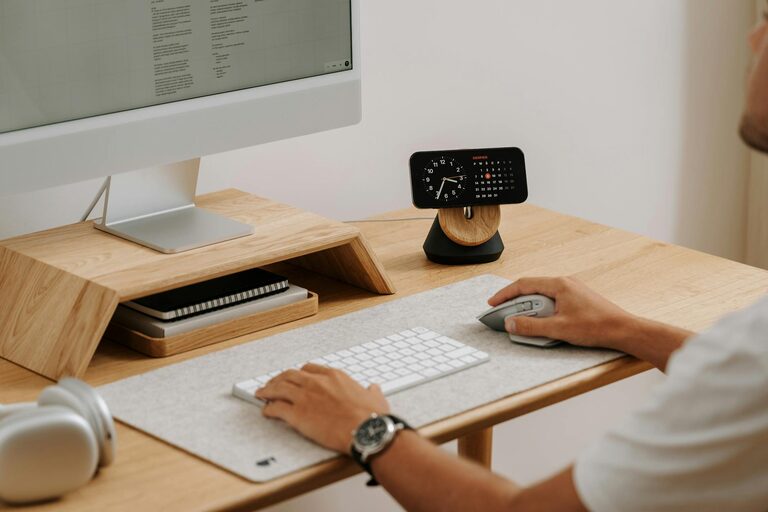
Creating a home workspace that balances productivity with relaxation is essential for anyone working remotely or spending significant time at home. With the right setup, you can feel motivated to focus on tasks while maintaining a calm atmosphere that reduces stress. In this post, we explore practical steps to design a workspace that supports both your professional goals and your mental wellbeing.
Choose the Right Location
The first step is selecting the ideal spot for your workspace. Consider the following:
– Natural Light: Aim for a space near a window to benefit from daylight. Natural light improves mood and alertness.
– Minimal Distractions: Pick a quiet area away from noisy parts of your home like the kitchen or living room.
– Sufficient Space: Ensure there’s enough room for your desk, chair, and storage without feeling cramped.
If space is limited, even a small corner can be transformed into a functional workstation with some creativity.
Invest in Comfortable and Supportive Furniture
Comfortable furniture is key to maintaining focus and avoiding physical discomfort.
Chair
Choose an ergonomic office chair that supports your back and encourages good posture. Adjustable height and lumbar support are helpful features.
Desk
Select a desk with ample surface area to hold your computer, notes, and other essentials. Consider a sit-stand desk to vary your posture during the day.
Organise Your Workspace Efficiently
Clutter can affect concentration and increase stress levels. Keep your workspace tidy with the following tips:
– Storage Solutions: Use filing cabinets, shelves, and desk organisers to keep papers and supplies neat.
– Cable Management: Use clips or a cable tray to prevent cords from tangling.
– Minimal Decor: Personal items are fine but avoid over-decorating, which can distract.
Use Calming Colours and Lighting
Colours and lighting influence your mood and productivity.
– Colour Palette: Choose soft, neutral colours like pale blues, greens, or greys that promote calmness.
– Lighting: Combine natural light with adjustable warm artificial lighting. Avoid harsh overhead lights that can cause eye strain.
Incorporate Greenery
Adding plants to your workspace can improve air quality and create a relaxing environment. Easy-to-care-for options like spider plants, succulents, or peace lilies are ideal for indoor spaces.
Establish a Routine and Boundaries
A productive workspace isn’t just about physical set-up. Your routines and habits matter.
– Set Working Hours: Define clear start and finish times to separate work from personal life.
– Take Regular Breaks: Short breaks every hour help maintain focus and prevent burnout.
– Limit Digital Distractions: Use apps or settings to block non-work-related notifications during work.
Personalise Your Workspace Mindfully
A few personal touches can make your workspace inviting, but keep them purposeful:
– Inspirational Quotes or Images: Choose items that motivate rather than distract.
– Scent: Use subtle aromas like lavender or peppermint through essential oils or candles to create a calming atmosphere.
Ensure Good Air Quality and Temperature
Fresh air and comfortable temperature can boost concentration.
– Ventilation: Open windows when possible or use air purifiers to keep air fresh.
– Temperature Control: Use fans or heaters to maintain a comfortable climate.
Utilise Technology Wisely
Technology should enhance your efficiency:
– Dual Monitors: Useful for multitasking without cluttering your desk.
– Noise-Cancelling Headphones: Ideal for blocking out distractions.
– Reliable Internet: Ensure your connection is strong to avoid interruptions.
Final Thoughts
Designing a home workspace that is both relaxing and productive requires attention to your physical environment and your work habits. By carefully choosing your space, furniture, organisation systems, and incorporating calming elements, you can create a setup that helps you work efficiently while staying comfortable and stress-free. Remember, the best workspace is one tailored to your individual needs and preferences, so feel free to experiment and adjust as needed.